SikeliaLabs Journal
Typing speed test: measure WPM, accuracy and errors online
A practical walkthrough of the Sikelia Typing Speed Test: choosing an input mode, interpreting WPM and accuracy, and building a more consistent practice routine.
A typing test can help answer a specific question: can you enter text accurately at the pace your task requires? Words per minute (WPM) is useful, but it does not tell the whole story. A fast result with many corrections may be less helpful than a steady, accurate session.
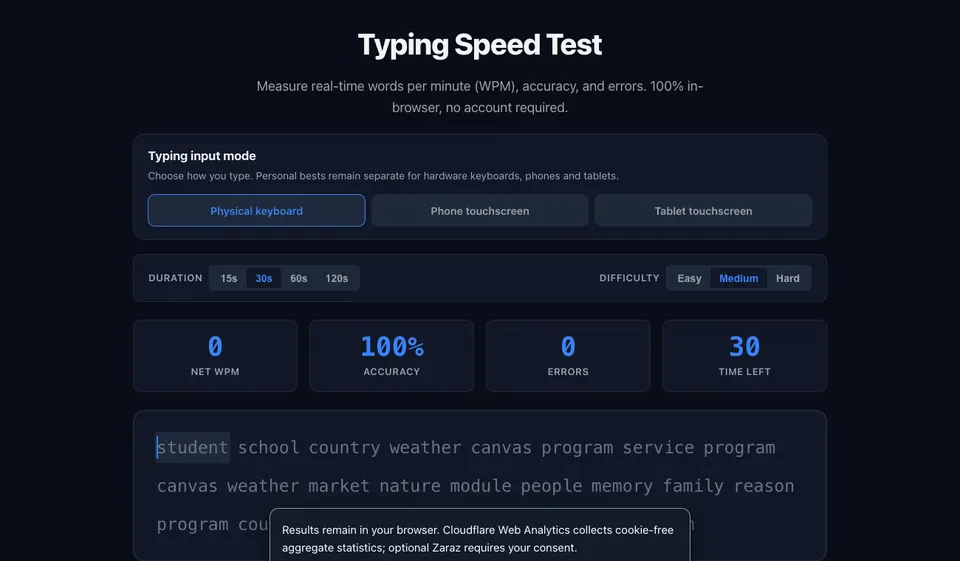
Sikelia Typing Speed Test runs in your browser and does not require an account. It reports speed, accuracy and mistakes, with support for keyboard and touch input.
Choose the input mode before you start
- Open the English typing test.
- Look at the input mode options and choose the one that matches your device. Typing on a physical keyboard and tapping a phone screen involve different movements.
- Follow the on-screen typing exercise. Focus on entering the displayed text correctly rather than trying to set a speed record immediately.
- Review the reported words per minute, accuracy and errors at the end of the session.
If you need another language, use the language selector within the tool. The Italian and French interfaces, for example, are available as separate pages.
Understand the three numbers
WPM summarizes your pace. Accuracy describes how reliably you entered the expected text. Errors show where mistakes occurred. Read them together: an increase in WPM is not necessarily an improvement if accuracy drops sharply.
For a fair comparison, repeat the same type of practice under similar conditions. Switching between a laptop and a smartphone can change your results for reasons unrelated to your familiarity with the text.
Make practice useful rather than repetitive
Start with a comfortable rhythm and use accuracy as the first checkpoint. Notice whether mistakes come from unfamiliar punctuation, shifting your gaze between keyboard and screen, or working too quickly. On the next attempt, adjust one thing at a time.
The tool can keep personal bests locally on your device. Local results are not the same as a public ranking, and using a different browser or device may not carry them over.
When a typing test is the wrong tool
Use a character counter for a strict form limit, and a word counter to check an assignment length. Typing Speed measures the process of entering text, not the number of words in a finished document. For those other tasks, Sikelia Tools provides dedicated utilities.
Start here: Open Typing Speed Test in English.
Open the tools mentioned in this guide